20 Etsy Listings Mockup: Build Your Shop’s Visual Identity Fast
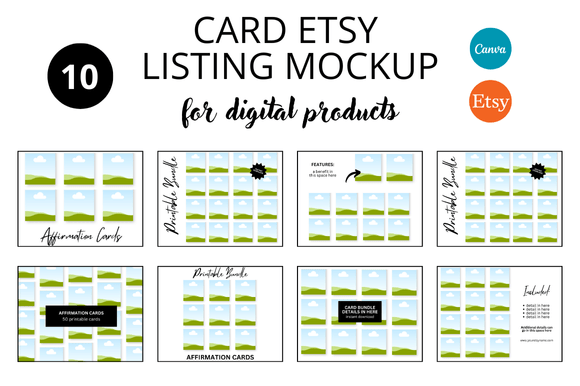
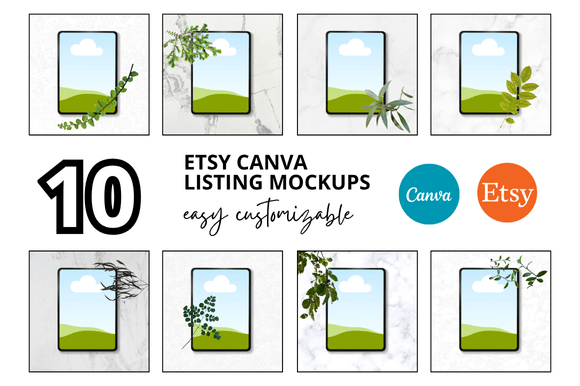
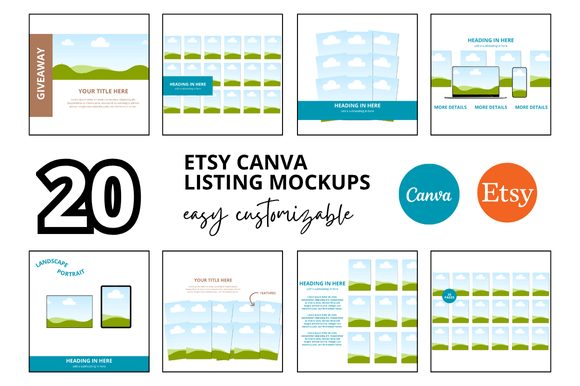
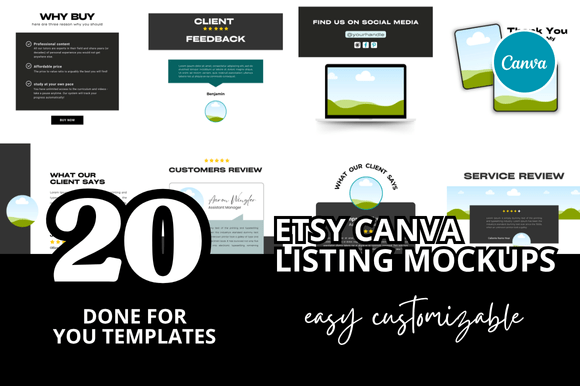
When you run an Etsy shop, your product visuals often make the difference between a casual scroll and a click-through. The 20 Etsy Listings Mockup bundle gives you a practical head start—a collection of 20 ready-to-use mockups sized at 2000 x 2000 pixels, designed for Canva. They come as instant download link templates, customizable right inside Canva, plus a few bonus freebies that sweeten the deal. Whether you’re just launching or refreshing an existing shop, these mockups help you skip hours of design guesswork.
Sellers often underestimate how much time goes into creating consistent thumbnails, banners, and listing images. With this pack, you get a set of layouts that already look clean and professional. You can drop in your product photos, adjust colors, swap fonts, and have a polished listing in minutes. The bundle is especially useful for digital sellers—printables, planners, stationery, digital art—but physical sellers can adapt the frames and backgrounds to showcase their handmade goods too.
Where These Mockups Fit Into Your Daily Work
Think about the last time you opened your Etsy shop manager and stared at a listing that needed new images. Maybe your thumbnail didn’t stand out in search results, or your shop banner looked outdated. The 20 Etsy Listings Mockup pack lives right inside your Canva account, so you don’t need advanced design software or a big budget. You just open the template, customize it, and export.
One common scenario is when you’re adding a whole new product category. For example, if you sell custom sticker sheets and suddenly decide to launch a line of printable wall art, you need a fresh visual language that still feels part of your shop’s brand. Instead of starting each image from scratch, you can pick a few mockups from the bundle—a square listing frame, a lifestyle scene, a banner mockup—and adapt them with the new product. The consistency across your shop instantly builds trust with buyers.
Another real-world use is seasonal rebranding. Around holidays, many Etsy sellers update their shop covers and featured listings to match a theme. The Etsy Frame Mockup templates included in the bundle let you quickly swap in seasonal colors or festive backgrounds without redesigning the entire layout. It speeds up what would normally be a weekend project into a one-hour task.
Social media promotion also becomes easier. Those same mockups can be repurposed for Pinterest pins, Instagram posts, or TikTok cover images. Because the templates are square and high-resolution, you can share them across platforms with minimal resizing. This cross-use saves time and keeps your visual branding aligned everywhere.
Who Really Benefits from This Bundle?
Different sellers use the 20 Etsy Listings Mockup in different ways, which is one of its strengths. Let’s look at a few user types:
- New Digital Product Sellers: If you’re launching your first printable planner or digital art pack, you likely don’t have a library of original mockup photos. This bundle gives you a professional-looking foundation so you can start listing right away without feeling behind.
- Banner and Cover Specialists: Sellers who focus on Etsy shop banners and covers can use the included banner mockups to show clients how their designs would look in a shop setting. The clean layouts make client previews look more realistic.
- Printables and Planner Creators: The bundle includes mockups that frame flat products nicely—like calendars, checklists, journals, and sticker sheets. You can layer your design inside the frame, and the result looks like a styled photo rather than a simple scan.
- Video Listing Makers: With the Etsy Listing Video Mockup component, you can create short video thumbnails or animated previews. Video listings tend to convert better, but they require a bit more design effort. These templates simplify the process.
- Busy Sellers Juggling Multiple Shops: When you manage more than one Etsy store, you don’t have time to build unique image styles for each. The bundle’s clean, neutral look can be adapted quickly for different niches, helping you stay consistent but distinct.
What to Consider Before You Start Using the Templates
The 20 Etsy Listings Mockup pack is a tool, not a magic wand. Its strengths come from how you customize it. A few practical observations:
First, the mockups are designed for Canva users. If you don’t already have a Canva account (free or Pro), you’ll need to create one to access the link templates. The editing is straightforward, but you should be comfortable with basic Canva functions like layering, resizing elements, and changing colors. The templates themselves are clean, so even beginners can adjust them easily.
Second, while the bundle includes bonus freebies, the core value lies in the 20 main mockup designs. They cover square listings, banners, video frames, and possibly some mockup scenes. Before purchasing, consider whether the style matches your shop’s aesthetic. The templates lean toward a modern, minimalist, or neutral look—perfect for many digital products but maybe less suited for very bold, niche aesthetics unless you heavily modify them.
Third, think about sizing. Etsy recommends 2000 x 2000 pixels for listing images, and the templates already meet that requirement. However, if you plan to use these mockups for Pinterest (which often prefers vertical images), you might need to adjust the canvas size inside Canva. The layouts are easy to resize, but the proportions may shift if you stretch them too far.
One potential limitation: these are mockups, not original photographs. They simulate a frame or a device screen, or a simple flat-lay background. If your product needs to be shown in a real-life context (like someone using it outdoors), a flat mockup might feel less authentic. For those cases, you could layer your product image on top of a real photograph inside the template. The flexibility exists, but it adds a step.
Real Examples of How Sellers Apply These Designs
A seller of digital budget planners might use the Etsy Printables Mockup style from the bundle to show the planner cover on a desk setup. They add a screenshot of a filled page as a second image, then use another template for a banner showing multiple planners in a row. The result is a cohesive shop that looks organized and inviting.
A seller of paperless sticker packs for GoodNotes might appreciate the Etsy Mockup Templates that include tablet or iPad frames. They can drop their sticker preview inside the screen frame, giving buyers a “how it looks in use” preview without needing to photograph an actual device. That single image often answers the most common buyer questions.
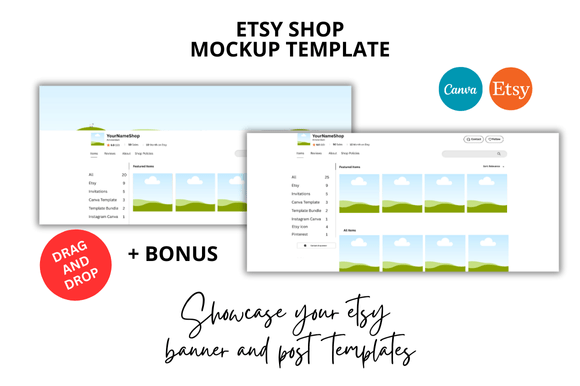
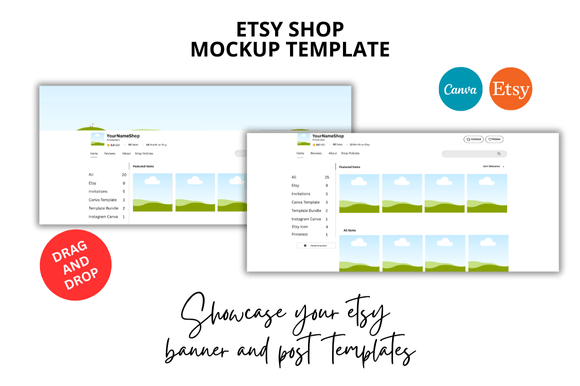
Banner creators often use the Etsy Shop Covers part of the bundle to mock up how a cover would look on a desktop shop page. They can quickly show clients two or three cover options, helping them decide before the final design is made. This reduces back-and-forth communication.
Strengths That Make It a Convenient Choice
The biggest strength of this bundle is speed. You open a Canva link, edit text and colors, and you’re done. The 20 templates cover enough variety—square listings, video mockups, banners, maybe bonus frames—so you rarely need to search for another mockup for the same shop project. The bonus freebies often include elements like light overlay textures or font pairings, which add polish without extra work.
Another strong point is the “instant download” format. You don’t wait for a file delivery; the link becomes available immediately after purchase. For sellers who work late at night or on weekends when support may be slow, this is a small but real advantage.
The clean professional look also helps new sellers appear established. Shops that use consistent, well-framed mockups often get more clicks because they look trustworthy. The bundle removes the need to learn design theory or spend hours aligning elements—it’s already done.
When You Might Want to Supplement with Other Resources
If your Etsy shop requires highly specific lifestyle imagery—like a coffee mug in a sunlit kitchen or a candle on a wooden shelf—these generic mockups won’t replace that authentic feel. You might need to combine them with your own photography or purchase niche mockups (coffee shop scenes, bedroom setups, etc.). However, for the typical listing image that highlights the product itself, the 20 Etsy Listings Mockup works fine.
Also, because the templates are made by a single creator, the style across the 20 designs is fairly unified. That’s great for branding but limiting if you want drastic variation between listings (e.g., one listing with a dark theme, another with a bright pastel theme). You can still recolor manually, but it’s not as simple as switching to a different pack.
Final Practical Notes for Getting the Most Out of the Bundle
Keep the templates organized by creating a folder in your Canva account dedicated to “Etsy Mockups.” This way you can quickly reuse them for new listings without duplicating your work. If you offer multiple products, you can duplicate the same mockup and swap out the product image to maintain a consistent look across your shop.
Remember that the Etsy Digital Shop Bundle nature of this pack means you’re getting not just a few mockups, but a system. The video mockups are particularly useful for creating listing videos that auto-play in search results. Even a simple 5-second clip of your product appearing inside a frame can catch a shopper’s attention.
Finally, check if the bonus freebies include any extra mockups or graphic elements. Sometimes these freebies add value that tips the decision. For sellers who want to save hours of precious time and focus on what they do best—creating products—the 20 Etsy Listings Mockup pack offers a straightforward, low-effort solution.