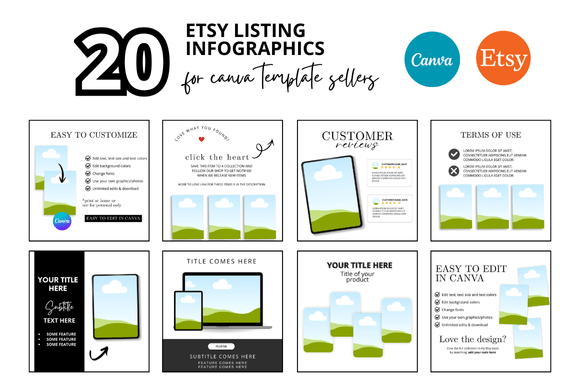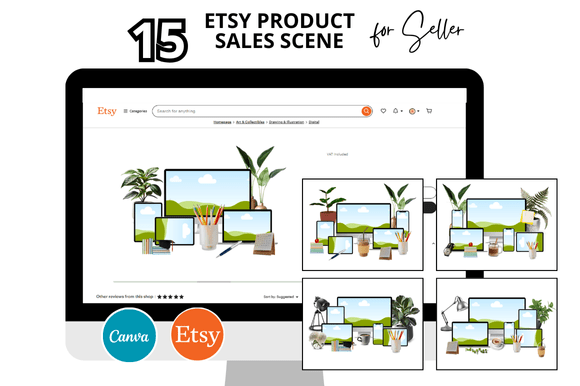
15 Etsy Product Sale Scene Templates That Streamline Your Digital Shop Workflow
Running a successful Etsy shop demands consistent visual branding across listings, banners, videos, and promotional materials. For sellers juggling multiple products, the time spent designing each asset from scratch adds up quickly. The 15 Etsy Product Sale Scene bundle addresses this exact bottleneck by providing a set of customizable Canva mockups and templates designed specifically for Etsy listings, product scenes, and shop covers. Rather than reinventing your visual identity for every new listing, these templates let you maintain a cohesive look while saving hours of repetitive design work.
What the 15 Etsy Product Sale Scene Bundle Includes
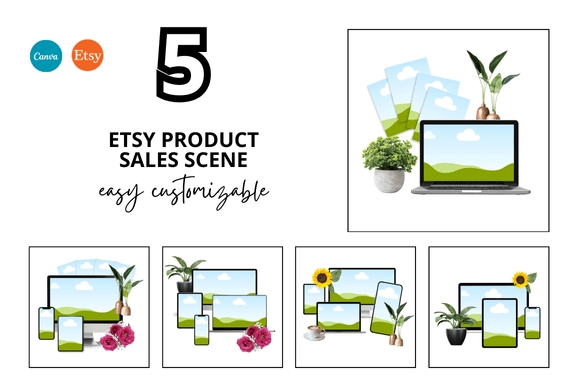
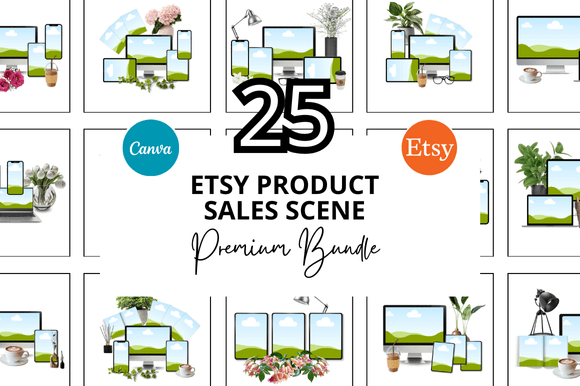
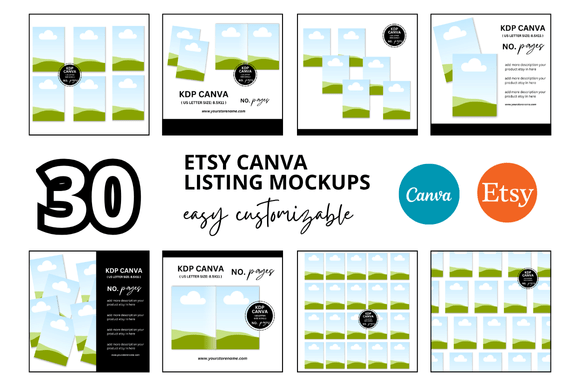
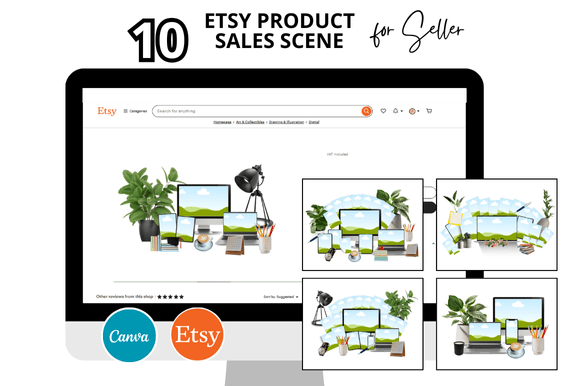
This collection covers the core visual assets an Etsy seller needs regularly. You get 15 distinct mockup templates sized at 2000 x 2000 pixels, ideal for Etsy listing images, product scenes, shop banners, and video thumbnails. The templates are delivered as Canva instant download links, meaning you can open them directly in Canva and begin customizing immediately. Bonus freebies are included with the bundle, adding extra versatility without requiring additional purchases.
The bundle supports both static listing images and video mockups, making it suitable for sellers who want to incorporate motion content into their shop. Whether you sell printables, planners, digital courses, or physical products, the square format works across Etsy’s listing requirements and social media platforms.
Where These Templates Fit in Your Workflow
Every Etsy seller develops a rhythm for launching new products. Typically, the cycle involves product creation, photography or mockup generation, listing optimization, and marketing. The 15 Etsy Product Sale Scene templates fit most naturally during the listing creation phase, after you have finalized your product but before you publish the listing.
Instead of opening a blank Canva canvas and guessing at dimensions, you open a pre-built template that already includes well-placed frames, text areas, and visual hierarchy. This shift from creation to customization changes your workflow from “start from zero” to “adapt a proven layout,” which reduces decision fatigue and speeds up publication cycles.
The templates also support batch processing. If you are launching a collection of five or ten products at once, you can duplicate a single template, swap out product images and text, and generate consistent listing images in minutes. This batch approach is especially valuable during seasonal launches, shop rebrands, or inventory refreshes.
Before the Listing: Preparation and Planning
Before you open Canva, take a few minutes to gather your product images, brand colors, fonts, and key selling points. Having these assets ready means you can move through each template quickly without stopping to search for files. The 15 Etsy Product Sale Scene templates work best when you treat them as a starting framework rather than a rigid structure. Adjust the frame placements, text positioning, and color overlays to match your brand voice.
If you sell multiple product categories, consider which templates fit each product type. For example, a scene template with a laptop and coffee cup works well for digital planners or courses, while a frame mockup featuring stacked books suits printables or guides. Matching the scene to the product context improves buyer perception and click-through rates.
During Customization: Practical Implementation Tips
When you open a template in Canva, start by replacing the placeholder image with your own product photo or mockup. Use Canva’s background remover tool if your product image has a solid background that clashes with the scene. The templates are built with layered elements, so you can hide, delete, or recolor any component without affecting the rest of the design.
Keep your text concise. Etsy listing images serve as the first impression in search results and category pages. Use the headline area for your product’s primary benefit or a clear descriptor such as “Weekly Planner – Digital Download” or “Editable Canva Template.” Save detailed descriptions for the listing body text. The mockup should communicate value at a glance.
For video mockups, ensure your footage or animation loops smoothly. The 2000 x 2000 pixel square format works across Etsy’s video listings, but you can also export shorter clips for Instagram or Pinterest to drive traffic back to your shop. Consistency between your static images and video thumbnails reinforces brand recognition.
Post-Publication: Quality Control and Consistency
After you publish a listing using one of the templates, review how it appears in search results and category views. Compare it against your other listings to confirm the visual family is cohesive. If you notice one template uses a different color accent or font weight than another, note the discrepancy and update the template so future listings stay aligned.
This bundle also supports long-term shop management. As your product line grows, you can archive older templates and reuse the same scene layouts with updated colors or product images. The Canva link delivery means you never lose access to your templates, even if you switch devices or collaborate with a virtual assistant.
Interacting with Other Tools and Platforms
While these templates live inside Canva, they interact with several other parts of your workflow. Etsy itself is the primary destination, but the square images you generate can also serve as Pinterest pins, Instagram posts, email newsletter graphics, or social media teasers. This cross-platform reuse saves design time and maintains visual consistency across channels.
If you use scheduling tools like Later, Tailwind, or Buffer, export your mockup images directly from Canva and upload them to your content calendar. The templates’ square format fits most social media grids without cropping issues. For Etsy listing videos, export in MP4 format at the highest resolution Canva allows, then upload directly to your Etsy listing.
Sellers who use print-on-demand services or digital product platforms like Gumroad or Shopify can also repurpose these mockups. The scenes are product-agnostic enough to work for t-shirt designs, PDF planners, printables, and digital art. Simply swap the product image and adjust the text to match the platform’s image requirements.
Organizing Your Template Library
With 15 templates plus bonus freebies, you need a system to keep them accessible. Create a dedicated folder in your Canva account labeled “Etsy Product Sale Scene Bundle” or similar. Within that folder, subdivide by template type — for example, “Listing Mockups,” “Shop Covers,” and “Video Scenes.” This organization prevents you from searching through dozens of designs when you need a specific layout.
If you work with a team or hire freelancers, share the Canva folder link with editing permissions. Clearly name each template file with a descriptive title like “Laptop Scene – Warm Tones” or “Frame Mockup – Neutral” so collaborators can find what they need without opening every file. This is especially useful during busy seasons when multiple listings are being prepared simultaneously.
Efficiency Gains and Time Savings
The primary value of this bundle is the hours it recovers for you. Designing a single listing mockup from scratch can take 15 to 30 minutes, even for experienced Canva users. With a pre-built template, that time drops to 5 to 10 minutes per listing, assuming you have your assets ready. Over the course of 20 or 30 listings, the savings add up to several hours that you can redirect toward product creation, customer service, or shop marketing.
Batch customization amplifies these savings. Set aside one focused session per week or month where you customize all templates for new listings in one sitting. Open the templates, swap images, adjust text, and export. This concentrated effort avoids the context-switching cost of jumping between design and other shop tasks throughout the day.
Maintaining Quality and Consistency Over Time
One risk of using any template system is visual fatigue — your listings start to look too similar, and buyers may not differentiate between products. To avoid this, vary which templates you use for different product types or categories. Use the frame mockup for one product line, the laptop scene for another, and the flat lay for a third. This creates visual variety while keeping the underlying brand elements consistent.
Update your templates when you refresh your brand colors, fonts, or logo. Because these are Canva templates, you can make global changes by editing the original template file and then reusing it for future listings. You do not need to redesign from scratch each time your brand evolves.
Long-Term Use and Scalability
As your Etsy shop grows, your template collection should grow with you. The 15 templates in this bundle provide a solid foundation, but you may eventually want to expand into additional scene types or formats. The skills you develop while customizing these templates — layering, color matching, text placement, and image optimization — transfer directly to more advanced Canva projects.
Consider creating a brand style guide that documents which templates you use for which purposes, your preferred color hex codes, font pairings, and image treatment rules. This guide ensures that even if you step away from your shop for a period, a team member or future collaborator can pick up exactly where you left off using the same template bundle.
Practical Observations for First-Time Users
If you are new to Canva mockups, start with the simplest template in the bundle. Replace the placeholder image, update the text, and export. Experience the workflow from start to finish before you attempt more complex scenes. Once you understand the layer structure and editing options, move to templates with multiple frames, text overlays, and decorative elements.
Do not feel pressured to use every template immediately. Select the three or four that best represent your current product line and master those first. As you add new products, incorporate additional templates gradually. This incremental approach prevents overwhelm and helps you develop a consistent editing routine.
Remember that the bonus freebies included with the bundle extend your options without extra cost. Check what additional assets you received — extra frames, backgrounds, or scene elements — and incorporate them into your workflow as needed. These freebies often fill gaps you did not realize you had until you start working with the main templates.
Final Thoughts on Integrating the Bundle into Your Routine
The 15 Etsy Product Sale Scene templates are not a magic solution that runs your shop automatically, but they are a practical tool that eliminates a recurring time drain. By standardizing your listing image creation process, you free up mental energy for the parts of your business that require creativity, strategy, and direct customer interaction.
Whether you sell digital products, printables, courses, or physical goods, having a reliable set of mockups at your fingertips changes how you approach new listings. You move from dreading the design phase to treating it as a straightforward, repeatable step in your workflow. Over weeks and months, that shift compounds into faster launches, more consistent branding, and a shop that looks polished without requiring endless hours in front of a screen.
If you have been creating each listing image individually or using mismatched designs that harm your shop’s professional appearance, this bundle offers a structured way forward. Take the time to customize the templates to your brand, organize them in your Canva account, and build a routine around batch processing. Your future self — and your customers — will notice the difference.