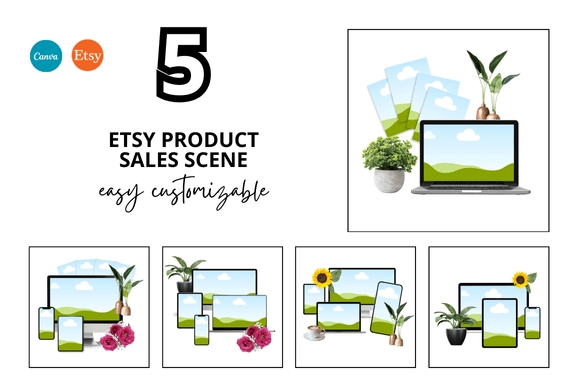
5 Etsy Product Sale Scene Bundle: A Smarter Way to Showcase Your Digital Shop
If you sell digital products on Etsy, you already know that visuals are everything. A listing image needs to grab attention, communicate value, and make someone stop scrolling long enough to click. That's a lot to ask from a single square. This is where something like the 5 Etsy Product Sale Scene Bundle starts to feel less like an optional upgrade and more like a quiet productivity hack. You get a set of ready-to-use mockups, frame templates, and Canva links that let you focus on what you actually make instead of wrestling with design software for hours.
But here's the thing: a bundle like this isn't just about saving time. It's about how you use those saved hours to build a shop that feels cohesive, trustworthy, and easy to navigate. Let's talk about the real-world situations where these templates earn their keep.
When your shop is new and you need to look established fast
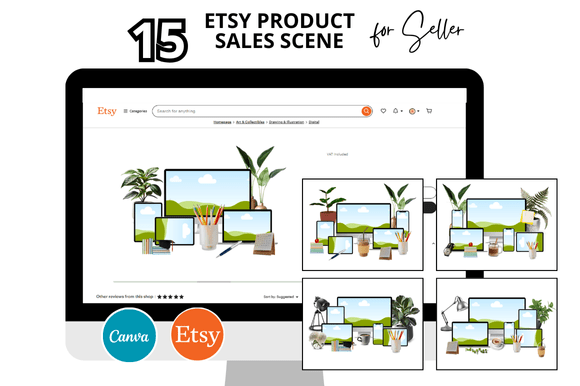
New Etsy sellers face a weird paradox. You need sales to build credibility, but shoppers often judge credibility by how polished your shop looks. If your listing images are inconsistent or obviously thrown together, visitors hesitate. The 5 Etsy Product Sale Scene Bundle gives you a consistent visual style across multiple listings from day one. You can upload your product photos into the frame mockups, adjust the colors, and have a uniform set of banner images, listing photos, and even video mockups within an hour.
Think about what that does for a new shop. Instead of five separate listings that each look like they belong to a different seller, you get a cohesive storefront. Shoppers perceive reliability. And when you're just starting out, perceived reliability is often the difference between a first sale and a first bounce.
- Real example: A printable planner seller uses the Etsy frame mockup to display her product in a lifestyle setting. She swaps the background color to match her brand palette. Now her entire shop has a unified look, even though her planners are for different niches.
- What it solves: The anxiety of "will my shop look amateur?" These templates remove that worry because they were designed by someone who already considered lighting, composition, and spacing.
Established sellers who want to refresh without rebuilding
If you've been selling for a while, you probably have a library of listing images that were created at different times, with different tools, and maybe in different moods. You might notice that your older listings look dated compared to your newer ones. Recreating everything from scratch is exhausting. Updating with a template bundle is more manageable.
The 5 Etsy Product Sale Scene Bundle works well here because it's customizable. You're not locked into a single aesthetic. The Canva templates let you change fonts, colors, and layout elements to match your existing brand. You can update your bestsellers first, then gradually refresh other listings. Over a weekend, your shop can feel updated without the burnout of designing each image individually.
A common scenario: you're preparing for a seasonal promotion. Maybe it's a Christmas sale or a back-to-school event. Instead of creating new graphics from nothing, you duplicate the template, adjust the overlay text, and you're live in minutes. The Etsy Banner Templates included in the bundle make this even faster for your shop header and featured sections.
Using the bundle for product launches and limited drops
Launching a new digital product is exciting, but it also creates pressure to produce multiple listing images, a listing video, and social media teasers within a short window. The video mockups included in this bundle are particularly underrated here. Instead of filming a new video for every product, you use the Etsy Listing Video Mockup to present your digital file in a short, professional clip. Shoppers get to see the product in action without you needing to record a screen capture or stage a physical scene.
I've seen sellers use these video templates to create a sense of urgency during a launch. They drop the video into their listing, pair it with a limited-time discount, and watch engagement climb. The video doesn't need to be complicated. A slow zoom over a mockup of a digital planner, with a subtle shadow effect, creates a premium feel that static images sometimes miss.
- Perfect for: Digital products like planners, printables, artwork, and Canva templates.
- Also useful for: Physical product sellers who want to show digital mockups of their packaging or labels before production.
Different users get different value
It's easy to assume that these mockups are only for people who sell digital files. But the audience for a bundle like this is broader than that.
Digital product sellers
You are the primary user. You need to display PDFs, JPEGs, or Canva links in a way that feels tangible. The Etsy Printables Mockup and Printable Mockup templates let you place your digital file inside a physical frame or on a desk scene, which helps shoppers imagine using your product in their own space. You get the Etsy Listing Canva Mockup at 2000 x 2000 px, which is the ideal size for Etsy's search grid. No guessing, no resizing mistakes.
Canva designers and service providers
If you design for clients, these templates become a client-facing tool. You can use them to present mockups of social media templates, label designs, or branding elements. The Canva Templates and Link Canva features mean you can share editable versions with clients who want to tweak colors themselves. It speeds up your workflow and makes you look professional.
Etsy sellers who also sell on other platforms
You might sell on Etsy, but also use Gumroad, Ko-fi, or your own website. The square listing format works across platforms. The same image you use for an Etsy listing can be repurposed for Instagram, Pinterest, or a product page on your site. The Square Listings and Square Listing Templates ensure consistency no matter where your customer finds you.
Planner and printable creators
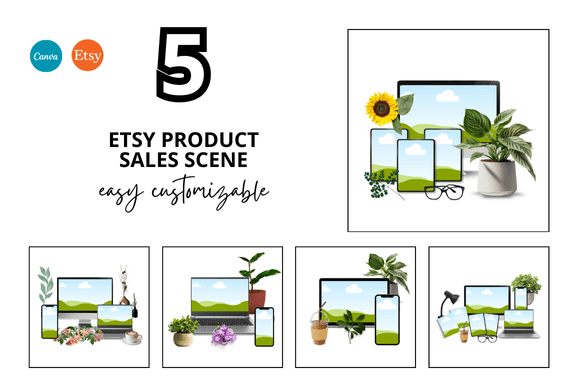
This is a niche where mockups matter a lot. A digital planner looks flat on a screen. Put it inside a leather binder mockup with a stylus and a coffee cup, and suddenly it feels real. The Etsy Printable Bundle component of this set includes scenes that are designed for exactly that purpose. You can show your planner open on a desk, or your sticker sheet displayed on a laptop.
Practical considerations before you start
Before you download and start editing, there are a few things to think about that can make your experience smoother.
First, understand the format. These are Canva templates. If you don't already use Canva, you'll need a free account. The instant download gives you a link that opens in Canva, where you can customize everything. You don't need advanced design skills, but basic familiarity with Canva's interface helps. If you've never used layers or text boxes in Canva, you might need ten minutes of exploration to feel comfortable.
Second, think about your brand consistency. The bundle comes with customizable elements, but it also comes with preset aesthetics. If your brand uses very specific fonts or color schemes, you'll want to update the templates immediately. This isn't a limitation, it's just a reminder that templates are starting points, not final products. The best results come from making them your own.
Third, consider the square format. Etsy requires 2000 x 2000 px for listing images, which is what these mockups use. That's great for Etsy, but if you also need vertical images for Instagram Stories or Pinterest pins, you might need to crop or create separate versions. The 5 Etsy Product Sale Scene Bundle is optimized for the marketplace, not for every social platform.
Fourth, video mockups have a different impact than static ones. The Etsy Video Mockup included is a powerful tool, but video content requires more attention to loading speed and file size. Make sure your exported video is compressed enough to load quickly on mobile connections. A slow video can frustrate shoppers.
The bonus freebies and why they matter
One of the more compelling aspects of this bundle is the inclusion of bonus freebies. You get additional elements that aren't just filler. These might include extra frames, overlays, or color palettes that expand what you can do with the main templates. In practice, bonuses give you room to experiment. You can test different looks for a listing without committing to a full redesign.
For example, if you sell both digital art and printable stickers, you can use the freebies to create two distinct visual identities within the same shop. One set of templates leans minimal, the other playful. Your shop stays cohesive because the underlying mockups share the same structure and quality.
What this bundle does well
- Speed: You save hours per listing. No starting from a blank canvas.
- Consistency: Your shop looks intentional, not accidental.
- Ease of use: The Canva link system means you don't need design software or tutorials.
- Scalability: Use the same template for twenty listings or a hundred.
- Professional finish: The scenes are clean and product-focused, not cluttered.
Where you might need to adapt
No template bundle is perfect for every situation. If your product is highly unusual in size or shape, you might need to do some manual positioning within the mockup. The templates work best for standard-sized digital products like PDFs, JPEGs, and typical printable formats. If you sell something that doesn't fit neatly into a frame or scene, you'll need to get creative with cropping or layering.
Also, while the bundle includes options for video, it's not a full video editing suite. You get a mockup that animates nicely, but you won't be adding complex effects or transitions. That's fine for a listing video, just know what it isn't.
Making the most of the Etsy Digital Shop Bundle
If you decide to use this bundle, the best approach is to batch your work. Set aside an afternoon to customize the templates for your brand. Save your color palette and fonts in Canva. Then, whenever you create a new listing, you can open the template, drop in your product, and export in minutes. You stop designing from scratch and start assembling from a kit.
Your shop becomes easier to maintain. Your customers see a consistent visual story. And you get back the time that you used to spend staring at a blank 2000 x 2000 square, wondering where to start.
Whether you're launching your first listing or your hundredth, the 5 Etsy Product Sale Scene Bundle offers a practical shortcut that doesn't sacrifice quality. It meets you where you are, whether you're a designer or a seller who just wants to move on to the next product. That's the real value here, not just the mockups, but the space they free up for you to focus on what actually grows your shop.