Why the 25 Etsy Product Sale Scene Bundle Could Save Your Shop Time and Money
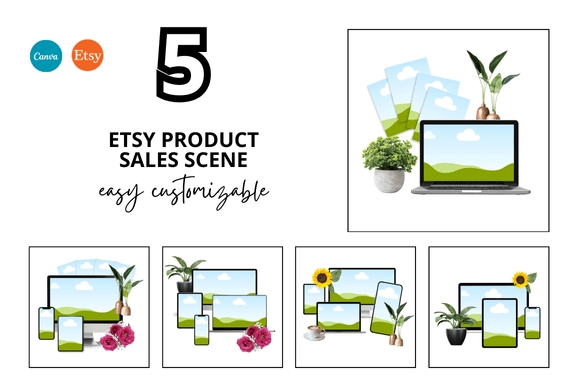
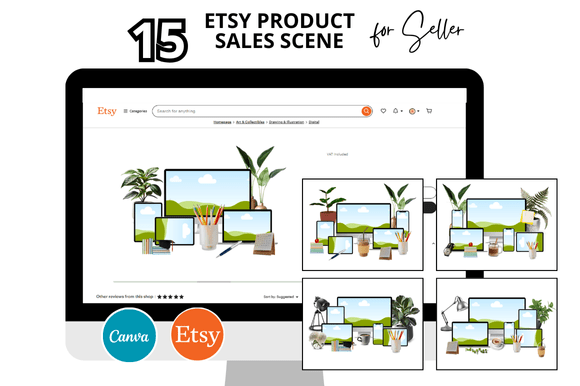
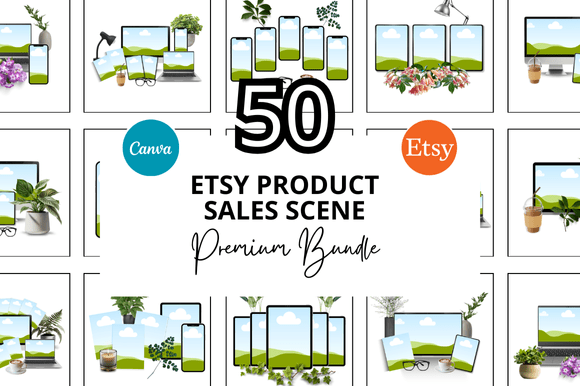
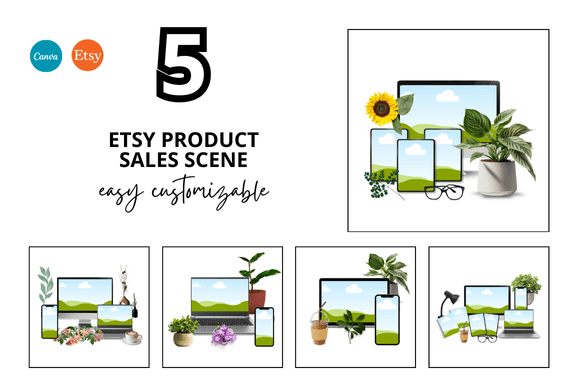
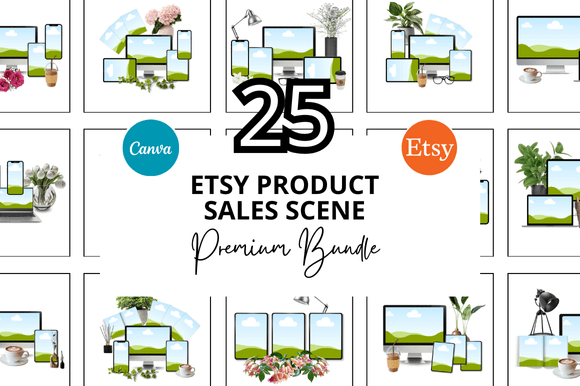
If you sell digital products on Etsy, you already know that presentation matters just as much as the product itself. A listing with flat, inconsistent, or cluttered mockups rarely converts. That is why many Etsy sellers turn to a ready-made set like the 25 Etsy Product Sale Scene Bundle. It promises a cleaner, faster, and more professional look for your shop. But buying a bundle is not automatic success. Several common mistakes can turn a valuable resource into a source of frustration. Understanding these pitfalls will help you get the most out of your purchase and avoid wasted time, poor results, or unnecessary spending.
Mistake: Treating the Bundle as a One-Size-Fits-All Solution
It is easy to assume that because you bought a bundle of 25 mockups, every template will work perfectly for your specific product. That is rarely the case. A scene designed for a digital planner may not showcase a set of printable wall art in the best light. Many sellers download the whole bundle, pick the first template that looks nice, and start adding their product without checking if the layout, lighting, or orientation suits the item.
This mistake leads to mockups that feel awkward or misaligned with the product. A potential buyer scrolling past your listing may not even realize what you are selling. Instead of helping you stand out, the wrong scene buries your product in visual noise.
The better approach: Before you commit to a template, open each scene and mentally place your product into it. Ask yourself: Does this frame size match my printable's dimensions? Does the background complement my brand colors? Will the props distract from the item? If a scene does not serve your product, skip it. A bundle gives you options, not obligations.
Mistake: Overlooking the Canva Customization Potential
A major selling point of this bundle is that it works with Canva, a tool many digital sellers already use. Yet a surprising number of people treat the templates as static images. They drop their product in, maybe change a background color, and call it done. That approach severely limits what these templates can do.
These are customizable Canva mockup templates, which means you can adjust shadows, move elements, change text overlays, and even swap out props. If you treat them like locked files, you lose the flexibility that makes them valuable in the first place. The result is a listing that looks generic, similar to what hundreds of other sellers are doing with the same bundle.
Practical advice: Spend an hour exploring the template layers in Canva. Rearrange elements that do not fit your brand. Remove a prop that clashes with your theme. Add your own subtle shadows or highlights. The goal is not to completely redesign the scene, but to make it yours. A small adjustment, like changing the surface texture from wood to marble, can set your listing apart while keeping the professional foundation of the template intact.
Mistake: Ignoring the Video Mockup Component
When you hear "Etsy listing mockup," many sellers think of static squares. But this bundle includes video mockups as well. That is a feature many people overlook, either because they do not realize it is included or because they feel intimidated by video editing.
Etsy has been favoring listings with video content in search results for years. A static mockup might catch a glance, but a short video mockup showing your product in the same scene from different angles, or with subtle motion, often leads to higher click-through rates. Sellers who skip the video component are leaving a visibility advantage unused.
How to use it: Even if you have never edited video in Canva, the process is straightforward with these templates. Add your product image to the video frame, adjust duration, and export. You do not need fancy effects. A simple 10-second video that slowly pans or zooms can make your listing feel more polished. Test it on a few high-traffic listings and compare performance before converting your entire shop.
Mistake: Not Checking Dimensions and Resolution Before Buying
The bundle specifies that you receive Etsy listing Canva mockups at 2000 x 2000 pixels. That is a square format, and it matches Etsy's recommended image size. However, some sellers assume all mockups in the bundle are exactly the same layout. They might download a scene that has the product shown in a vertical frame within the square, which leaves empty space around it. When they upload that to Etsy, the listing image looks smaller than competitors who fill the entire square.
This is a subtle but crucial detail. Etsy's search results display images as squares. If your product occupies only a small portion of that square due to the scene design, it appears less prominent. Shoppers may scroll past without seeing what you offer.
What to check: Before purchasing, look at the bundle preview images carefully. Count how many scenes have your product size filling a large part of the square versus those that use a lot of negative space. If you sell a standard 8x10 printable, you want scenes that frame it tightly. If you sell a small art print, a scene with more negative space might work better. Match the scene layout to your product dimensions, not the other way around.
Mistake: Buying Without Understanding the "Bundle" vs. "Individual" Trade-Off
A bundle of 25 templates sounds like a deal, especially when compared to buying individual mockups at three to five dollars each. But some sellers end up with buyer's remorse because not every template in the bundle fits their niche. They expected every single scene to be usable, and when only half of them work, they feel the purchase was not worth it.
This is a misunderstanding of how bundles are intended to be used. A well-curated bundle gives you a library of scenes that cover different product types, color schemes, and moods. You are not meant to use all 25 on one listing. You are meant to pick and choose for different products over time. If you sell multiple product lines, the variety becomes a strength. If you sell only one type of printable, you may only need a subset of the bundle.
Smarter strategy: Identify which 8 to 12 scenes align best with your current product catalog. Save them as your go-to templates. Keep the rest for future products or seasonal promotions. Over a year of running your shop, even a 50% usable rate from a bundle often costs less than buying single mockups each time. Evaluate the bundle based on the value of the templates you will actually use, not the total count.
Mistake: Skipping the Bonus Freebies
The bundle description mentions "Bonus Freebies only for you." Many buyers focus solely on the 25 scenes and ignore the extras. These freebies might include additional mockup variations, matching banners, or extra Canva elements. Sellers who do not download and explore these bonuses miss out on items that could unify their shop's look.
If your Etsy banner, listing images, and shop icon all come from the same bundle, your brand feels cohesive. That consistency builds trust. A shopper who sees a mismatch between your banner and your mockups may question your professionalism. The bonuses often help bridge that gap.
Check before you close the download: When you receive your files, look for any folders labeled "bonus" or "extra." Open them and see if there are Canva templates for shop banners, social media posts, or promotional graphics. Even one well-designed banner that matches your mockups can improve your shop's overall presentation.
Mistake: Not Previewing or Editing Before Listing
It sounds obvious, but many sellers load a product into a mockup, export immediately, and upload to Etsy without previewing the final image at actual size. Small issues like misaligned text, a product edge that does not fit cleanly into the frame, or a color that shifts after export become visible only on the listing page.
This happens more often with customizable templates because the user has to adjust each element. A slight misalignment in Canva might look fine on your large monitor but becomes obvious on a mobile screen. Since most Etsy browsing happens on phones, that is the view that matters most.
Avoid this by: After you finish editing in Canva, preview the mockup on a mobile device. Zoom out to the size it would appear in search results. Check that your product is centered, clear, and recognizable. If something looks off, go back and adjust. A few extra minutes of proofing saves you from a listing that underperforms because the image feels slightly off.
Mistake: Overcomplicating the Customization Process
At the other extreme, some sellers spend hours tweaking every shadow, texture, and color in a mockup. They lose the time-saving benefit that the bundle was supposed to provide. The result might look unique, but the effort cost outweighs the gain. If you are spending two hours per mockup on a bundle meant to streamline your workflow, you are missing the point.
Find the balance: Use the template as a starting point, not a puzzle to solve. Change the product, adjust the most obvious colors or props, and move on. Your listing needs to look professional and clear, not like a museum piece. The bundle is designed to give you a polished result quickly. Use it that way. Reserve deep customization for your hero products, and use a faster editing process for your regular listings.
Final Thoughts on Getting Value from a Sale Scene Bundle
The 25 Etsy Product Sale Scene Bundle is a practical tool, not a magic solution. It can save hours of design time, give your shop a cleaner look, and help you compete with sellers who invest heavily in presentation. But the value comes from how you use it. Picking the right scenes, taking advantage of Canva's customization, including video files, checking dimensions, and actually using the bonus freebies all contribute to better results.
If you sell digital products on Etsy, your listing images are the first impression you make. A well-chosen mockup bundle gives you a strong foundation. Avoiding these common mistakes will help you turn that foundation into a shop that looks professional, builds trust, and converts browsers into buyers. Take a few extra minutes to preview, customize with purpose, and select scenes that genuinely fit your product. Your shop will thank you, and so will your sales.